Time Tracking,
Simplified.
Smart attendance management for small teams.
One file. Zero complexity. Fully encrypted.
Everything you need.
Nothing you don't.
Smart Import
Drag & drop attendance files. Auto-dedup, instant preview, re-import safe.
Anomaly Detection
Intelligent severity scoring with confidence-based one-click resolution.
Payroll Export
Excel with live formulas and subtotals, or CSV. Print-ready reports.
Fully Encrypted
AES-256 database encryption. Your data stays yours, always.
Multilingual
English, Hebrew, Arabic with full right-to-left layout support.
Version History
Full undo/redo with snapshot branching. Never lose work.
Three steps to payroll.
From raw attendance data to clean reports in minutes.
Import
Drop your attendance file — .dat or .txt from any ZKTeco terminal.
Review
Fix anomalies in one click with confidence-scored suggestions.
Export
Download payroll-ready Excel reports with live formulas.
Clean interface. Powerful features.
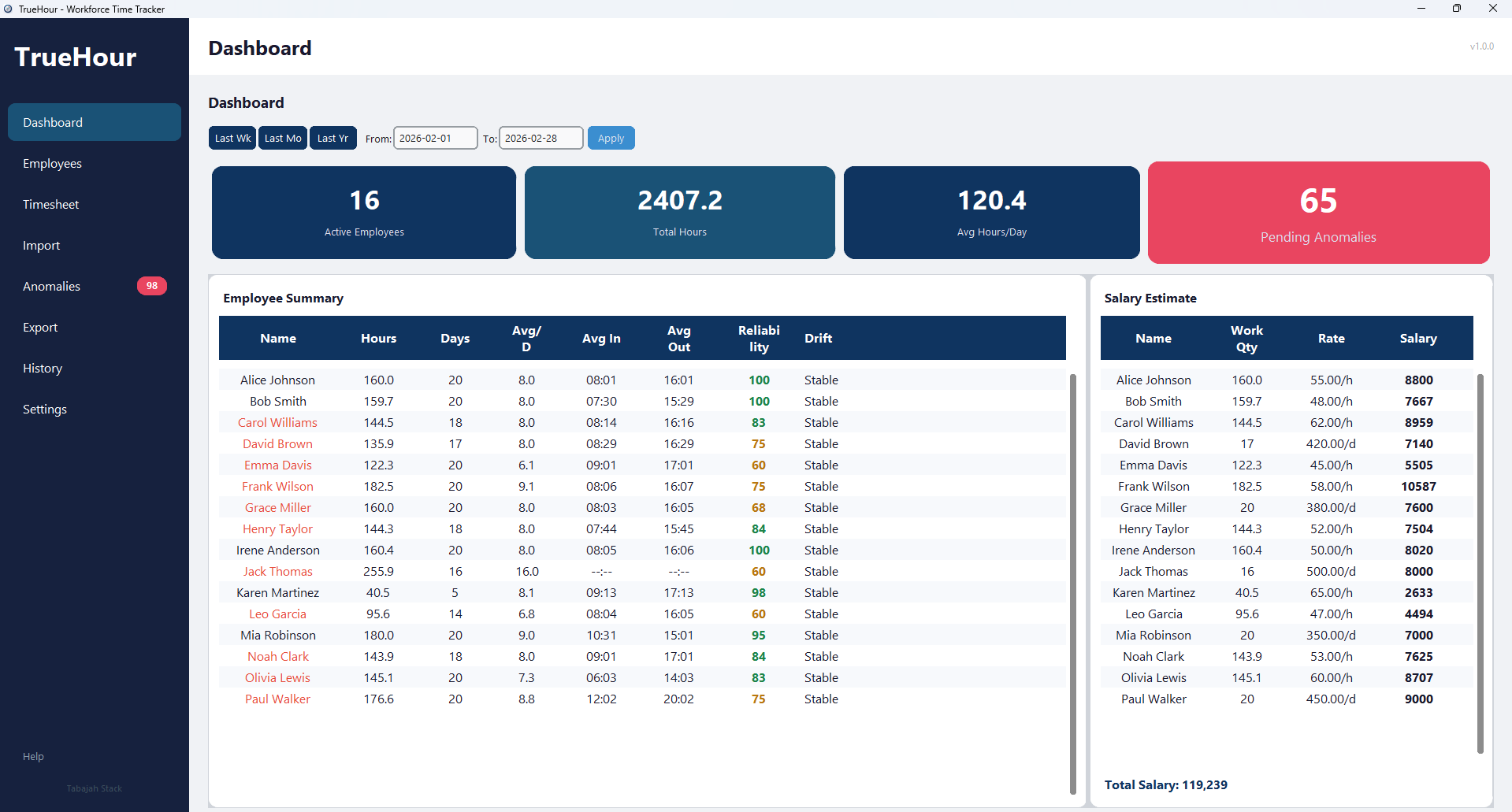
Dashboard view — real-time overview of attendance, hours, and payroll data
Your data never leaves
your machine.
TrueHour runs entirely on your computer. No cloud. No subscriptions. No tracking.
Offline-First
No internet connection required. Ever. Your data never touches a server.
AES-256 Encrypted
Bank-grade SQLCipher encryption. Database unreadable without your password.
Digitally Signed
Authenticode-verified Windows binary. Tamper-proof from build to execution.
Ready to get started?
Download TrueHour and try it instantly in demo mode — no activation required.
Download for Windows v1.0.0For full activation, contact us directly.